

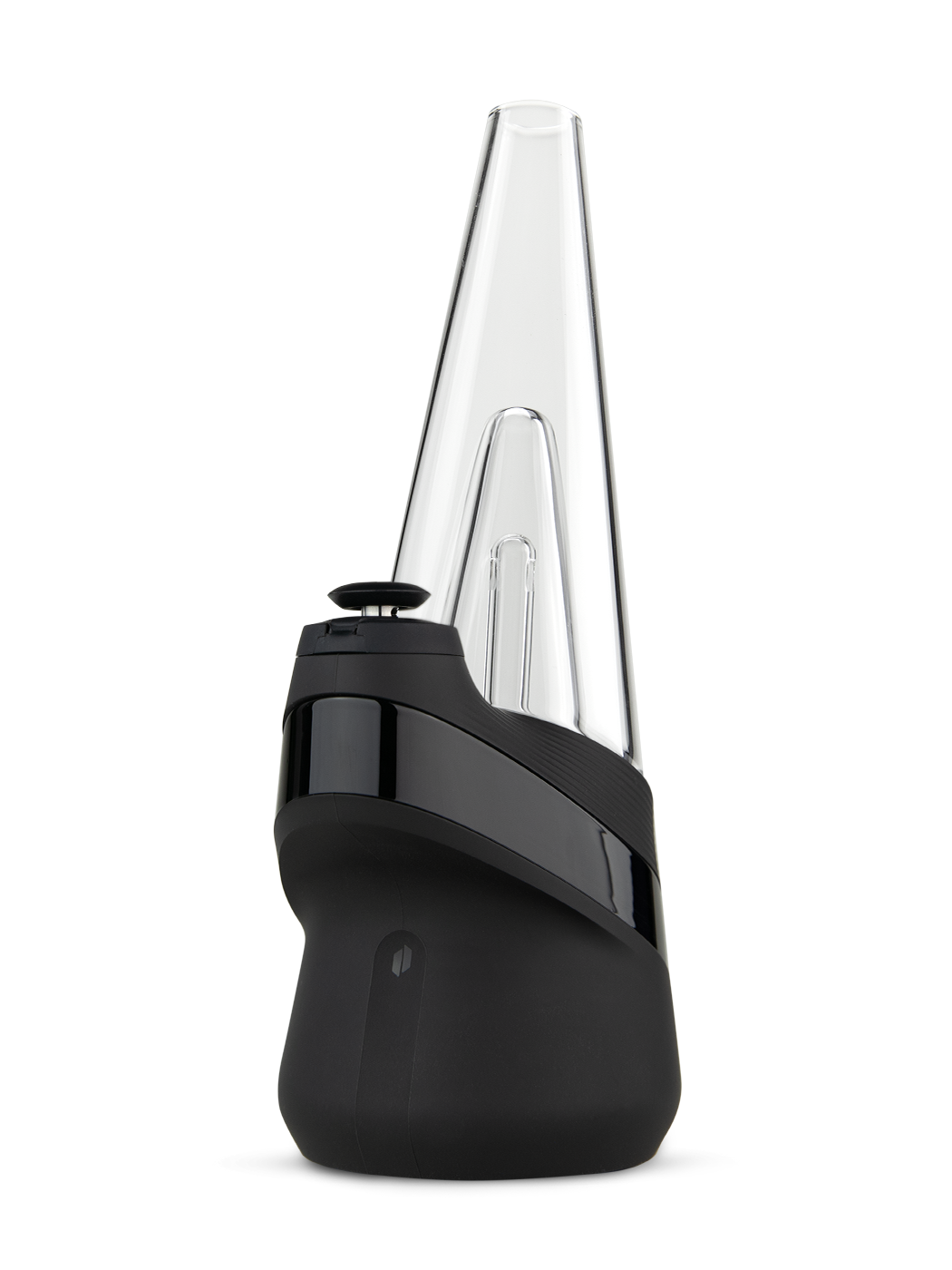
The Puffco Peak is an electric dab rig: a battery base, a heated chamber and a glass water top in one piece. There is no torch and no timer. You load it, press a button, and it heats to the setting you picked.
This guide covers the current Peak, the one that comes with the 3D Chamber and Joystick Cap.
What comes in the box
Per Puffco, the Peak ships with:
- The Peak base
- Peak Glass 2.0 (the water top)
- 3D Chamber
- Joystick Cap
- Loading tool
- Cotton swabs
- USB-C cable
How to use the Peak
- Charge it first. Fully charge before your first session. The light pulses while it charges and turns off when it is done.
- Add water. Take the glass top off first. Fill through the mouthpiece to just above the perc holes. Do not let water get into the lower section.
- Put the glass back on. Line up the inlet hole on the front of the glass with the chamber, push the front in, then the back.
- Turn it on. Press and hold the button for 3 seconds.
- Load it. Use the loading tool to place your concentrate on the bottom of the bowl, not the sides.
- Pick a heat setting. Single click to cycle through the four settings (below).
- Cap it. Press the Joystick Cap onto the chamber until it is snug.
- Heat it. Double click to start. The light pulses while it heats. When it is ready it flashes and vibrates twice.
- Take the hit. Puffco says to inhale gently while rotating the Joystick Cap.
To cancel a heat cycle, press and hold the button.
Boost: after the Peak heats up, double click again to boost. It runs a little longer and a little hotter. You can boost more than once.
If loading sticky concentrates is a pain, a Puffco Hot Knife makes it easier.
The four heat settings
| Color | Setting | What Puffco says it does |
|---|---|---|
| Blue | Low | Most flavor, least vapor |
| Green | Medium | Balance of flavor and vapor |
| Red | High | More vapor, still keeps flavor |
| White | Peak | Most vapor |
Puffco's advice is to try each one and see what you like.
Battery
- About 35 heat cycles per charge on the green setting. Higher settings use more battery.
- A dead battery fully charges in about 2 hours with USB-C.
- To check the battery, click the button 3 times. Green means 100% to 60%, yellow 60% to 30%, red 30% to 0%.
How to clean the Peak
After every session: wipe the chamber with a cotton swab in a gentle circular motion.
Chamber: remove the cap and unscrew the chamber. For a light clean, use a cotton swab with 90%+ isopropyl alcohol. For a deep clean, soak the chamber in 90%+ isopropyl alcohol for 20 minutes. Never use water on the chamber. Let it air dry fully before putting it back.
Glass: soak it in 90%+ isopropyl alcohol, then rinse well with water so no alcohol is left, and let it dry before putting it back on.
Base: never get it wet. Clean the gold threads with a cotton swab and 90%+ isopropyl alcohol.
How often: Puffco's rule of thumb is a full clean every time the battery runs out and needs a recharge. Puffco recommends 99% isopropyl alcohol as the best choice.
Peak vs Peak Pro
Puffco says the Peak gives a similar experience to the Peak Pro, without the Pro's extras: Bluetooth and the app, wireless charging, and a larger chamber. If you want something simple that works out of the box, the Peak is the easier pick.
One note on parts: the current Peak's 3D Chamber does not fit the original Peak.
Where to get one
We carry the Puffco Peak and a spare Peak 3D Chamber. Stock is limited. Load it up with something from our concentrates.
Sources: Puffco, "The Peak" product page and Peak support page, puffco.com, checked October 16, 2026.
For adults 21 and over.
Share:
Can You Bring a THCa Pen on a Plane?
THCa Infused Pre-Rolls Explained